PPCC 2026: Unleashing AI to Transform Business Processes with Microsoft 365 Copilot
PPCC 2026: Unleashing AI to Transform Business Processes with Microsoft 365 Copilot
Date: 2026-09-04
Discover how PPCC 2026 showcases the fusion of AI, Microsoft 365 Copilot, and Power Platform to revolutionize business workflows with intelligent agents and automation.
Tags: ["AI", "Microsoft 365 Copilot", "Power Platform", "Business Automation", "PPCC 2026"]
Every enterprise runs on business processes that connect people, data, and systems. Yet, it’s often the human judgment, exceptions management, and coordination across legacy silos that add friction or slow transformation. At the forefront of redefining this dynamic is the 2026 Power Platform Community Conference (PPCC), where Microsoft demonstrates how AI, integrated through Microsoft 365 Copilot and Power Platform, is converging with business workflows to unlock unprecedented productivity and agility.
This post unpacks the key innovations and architectural insights from PPCC 2026—highlighting how AI agents are embedded directly into business processes via Copilot Studio, enhanced by Dataverse’s rich business data context, and governed under enterprise-grade security and compliance guardrails. Whether you’re an IT architect, business analyst, or automation developer, you’ll gain a clear understanding of how these technologies align to democratize intelligent process automation and deliver measurable outcomes.
We’ll explore the layered architecture underpinning these integrations, delve into specific design choices that balance automation with human oversight, and share practical tips for getting started with AI-powered business process modernization today.
Architecture Overview
┌─────────────────────────────────────────────┐
│          Enterprise Business Data           │
├─────────────────────────────────────────────┤
│ • Microsoft Dataverse (Unified business data│
│   platform)                                  │
│ • External Data Connectors                   │
│ • Line-of-business Applications              │
└─────────────────────────────────────────────┘
                   ↓
┌─────────────────────────────────────────────┐
│          Microsoft 365 Copilot Studio       │
├─────────────────────────────────────────────┤
│ • AI Agents & Automation Designer           │
│ • Business Logic & Workflow Integration      │
│ • Security & Compliance Guardrails          │
└─────────────────────────────────────────────┘
                   ↓
┌─────────────────────────────────────────────┐
│         Power Platform Applications         │
├─────────────────────────────────────────────┤
│ • Power Apps (Custom apps)                   │
│ • Power Automate (Workflow automation)      │
│ • Power Virtual Agents (Conversational AI)  │
│ • Human Approvals & Collaboration            │
└─────────────────────────────────────────────┘
                   ↓
┌─────────────────────────────────────────────┐
│               End Users & Teams             │
├─────────────────────────────────────────────┤
│ • Business Users                            │
│ • IT & Dev Teams                            │
│ • Customer Service, Finance, Operations    │
└─────────────────────────────────────────────┘
This architecture emphasizes a data-grounded AI layer driven by Microsoft Dataverse that powers Copilot’s understanding of business context. The AI agents created in Copilot Studio orchestrate automation and reasoning through Power Platform apps, with strong security and compliance baked into the platform to enable enterprise-scale deployments.

Figure: Scenes from PPCC 2026 illustrating the vibrant community and technology showcases.
Key Technical Observations
-
AI Agents Embedded into Core Workflows — Copilot Studio enables creation of intelligent agents that combine conversational AI with process automation, directly integrating into Microsoft 365 apps and Power Platform components.
-
Dataverse as the Business Knowledge Graph — Leveraging Dataverse provides a unified, semantic data foundation, allowing AI agents to ground reasoning and decisions on consistent, authoritative business data.
-
Deterministic + Agentic Automation Hybrid — The platform supports mixing deterministic workflows (Power Automate) with agentic AI reasoning workflows in Copilot Studio, enabling flexibility for complex scenarios requiring human judgment or exception handling.
-
Comprehensive Security & Compliance Guardrails — Enterprise-grade governance is enforced via data loss prevention (DLP) policies, permissions, and AI safety guardrails, preparing AI agents for safe production use at scale.
-
Human Approvals & Collaborative Loops — AI-powered workflows embed human-in-the-loop checkpoints for approvals and exception resolution, ensuring control and accountability are maintained in automated processes.
-
Extensible Ecosystem with Low-Code Accessibility — Built to empower citizen developers and IT pros alike, the platform encourages rapid prototyping through low-code tools while enabling extensibility for advanced customizations.
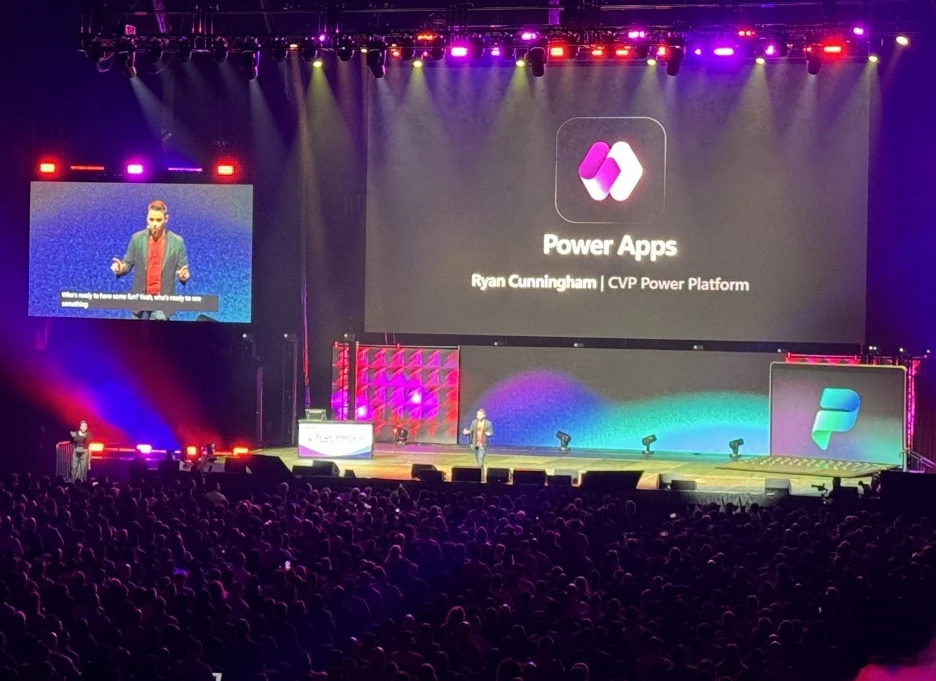
Figure: The PPCC 2026 keynote spotlighting integration between AI and business process platforms.
How It Works: Bringing AI Agents into Business Processes
Step 1: Ground AI Agents in Business Data with Dataverse
At the core of Copilot’s capability is Microsoft Dataverse. It acts as a centralized data and metadata repository representing business entities, processes, and rules. By integrating AI agents with Dataverse, Copilot ensures that every decision or action is contextually informed by real-time, reliable business information. This eliminates data silos and reduces errors from incomplete information.
Step 2: Design Agent-Based Workflows in Copilot Studio
Copilot Studio is the design and orchestration hub where users define AI-powered agents to automate processes. Developers can specify agent capabilities — such as data querying, conversational interactions, and invoking Power Automate flows — which enables hybrid workflows mixing scripted automation and intelligent reasoning.
// Example pseudo-code snippet from Copilot Studio defining a simple approval agent
agent ApproveInvoiceAgent {
  input: InvoiceRecord;
  actions: [
    queryDataverse("Customers", invoice.customerId),
    askUser("Confirm payment approval?"),
    if(approved) {
      triggerFlow("ProcessPayment", invoice);
    }
  ];
}
This blend allows complex cases involving judgment, multi-step approvals, and real-time collaboration to be supported efficiently.
Step 3: Deploy and Govern with Enterprise Guardrails
Security, compliance, and governance are integral — agents run under strict data access permissions and DLP enforcement to mitigate risk. Administrators can configure AI guardrails that monitor agent behavior, track activities, and apply policies that align with organizational security postures.
Step 4: Engage Users through Power Platform Apps and Microsoft 365
Once deployed, AI agents manifest through Power Apps interfaces, Power Automate workflows, or conversational bots in Microsoft Teams and other Microsoft 365 apps. This empowers end users to interact naturally with AI-driven workflows while maintaining transparency and control.

Figure: Professionals collaborating with AI-enhanced tools at their fingertips.
Quick Tips & Tricks
-
Start with Business-Critical Use Cases — Identify processes with clear pain points or high manual effort where AI agents can deliver measurable time savings or error reduction.
-
Leverage Dataverse for Unified Data Access — To get consistent, trusted AI insights, bring your business data into Dataverse or connect it using certified connectors rather than building ad hoc data silos.
-
Balance Automation and Human Judgment — Use Copilot Studio’s hybrid workflows to embed human approvals and exception handling where process variability or compliance requires it.
-
Implement Strong Governance Early — Configure data loss prevention and role-based permissions upfront to build trust and prevent accidental data exposure as you scale AI use.
-
Empower Citizen Developers — Provide training and templates to enable business users to create and customize AI agents using low-code tools, accelerating adoption.
-
Monitor Agent Performance & Feedback — Use telemetry and logs from Copilot and Power Platform to understand agent effectiveness and continuously improve workflows.
Conclusion
PPCC 2026 demonstrates a pivotal moment in the evolution of business process automation—where AI agents are no longer isolated assistants but integral collaborators embedded in enterprise workflows. The robust integration of Microsoft 365 Copilot, Dataverse, and Power Platform establishes a flexible, secure, and extensible foundation to accelerate digital transformation at scale.
As organizations increasingly adopt AI to augment their workforce, platforms like Copilot Studio enable them to do so responsibly and effectively. By grounding AI decision-making in trusted data, blending automation styles, and enforcing governance, Microsoft is setting a precedent for how AI will reshape work across industries.
The future points toward more seamless, intelligent processes where humans and AI agents collaborate effortlessly — delivering growth, agility, and innovation together.
References
- PPCC 2026: Bringing AI and your business processes together | Microsoft 365 Blog
- Microsoft 365 Copilot
- Copilot Studio & AI Agents
- Power Platform Community Conference – Visual branding from Microsoft
- Power Apps and Power Platform
- Microsoft Dataverse overview – Official Microsoft documentation on Dataverse
