Microsoft Foundry and Publishing Agents to Microsoft Teams: A Deep Dive into Bot Service Integration
Microsoft Foundry and Publishing Agents to Microsoft Teams: A Deep Dive into Bot Service Integration
Date: 2026-05-21
Discover how Microsoft Foundry simplifies publishing AI agents to Microsoft Teams using Azure AI Bot Service — breaking down the portal process, security nuances, and inner workings.
Tags: ["Microsoft Foundry", "Azure AI Bot Service", "Microsoft Teams", "Azure", "Bots"]
Microsoft Foundry is rapidly evolving into a powerful platform with a vast suite of services aimed at delivering AI capabilities at scale. Among its most dynamic features is the ability to publish AI-powered agents directly into Microsoft Teams—streamlining the integration process that typically requires significant custom glue code and infrastructure setup.
This post deeply explores the current “push-button” experience for publishing Foundry agents to Teams. While the process embraces automation, it also surfaces architectural nuances and security considerations, especially around Azure AI Bot Service and network access controls. For architects and developers working with Foundry Agents, understanding the underlying flow is critical for planning deployments in enterprise environments with complex governance and network restrictions.
We will walk through the portal user experience, dissect the mechanics triggered by the publish action, uncover the key role of Azure AI Bot Service as a relay, and highlight the security guardrails embedded in this integration. Later posts will expand on programmatic deployment and expanded scenarios, but here is the foundation every Foundry user should grasp.
Architecture Overview
┌────────────────────────────────────────────┐
│Architecture                                │
├────────────────────────────────────────────┤
│• Enterprise data sources                   │
│• Foundry platform                          │
│• AI applications                           │
└────────────────────────────────────────────┘
Key Technical Observations
-
Bot Service Auto-Provisioning Requires Elevated Permissions
Publishing an agent through the Foundry Portal demands Contributor or Owner role at the resource group or subscription level because it automatically provisions an Azure AI Bot Service resource alongside the Foundry agent. This can conflict with enterprise governance models that separate Teams, Foundry, and Azure management. -
Public Network Access Is Required for Portal Publishing
Public inbound network access must be enabled on the Foundry resource to reach the agent’s messaging endpoint from the Bot Service Connector. Enterprises leveraging private endpoints must implement additional public-facing infrastructure and secure routing patterns to bridge this gap. -
Single Centralized Orchestration REST API Layer
The publish button triggers a sequence of calls to a Foundry-specific orchestration API (https://ai.azure.com/nextgen/api/*), abstracting complexity from developers by masking direct Graph API, ARM, and Foundry data-plane API calls. -
RBAC Enforcement on User Interaction with Agents
Even after publishing, users must hold theFoundry UserAzure RBAC role to interact with the agent in Teams. The Foundry Agent integration enforces strict authorization, preventing unauthorized access even if the agent is visible in Teams. -
Azure AI Bot Service as a Relay
The Bot Service Connector functions as a relay that converts Teams traffic into standard HTTPS calls to the Foundry agent endpoint. This ensures seamless inbound message delivery and abstracts protocol specifics away from agents. -
Use of Entra ID Agent Identities Tied to Bot Service App IDs
Each Foundry agent provisions an Entra ID Agent Identity—effectively a specialized service principal used for secure operations. The Bot Service’s Microsoft App ID maps directly to these identities, establishing trust and secure correlation between Teams, bot, and agent.
How It Works: The Publish-to-Teams Flow Deep Dive
Portal User Experience and Preconditions
After logging into the Foundry Portal and creating an agent, a prominent Publish button invites you to push your agent to Teams. However, this button is gated by two critical preconditions:
-
Your user must have Contributor or Owner role on the Foundry resource’s resource group or subscription. This is because the publish flow automatically provisions an Azure AI Bot Service resource needed for bot registration.
-
The Foundry resource must have public network access enabled, as the Bot Service Connector must reach the agent’s messaging endpoint over the internet.
Permission requirement pop-up in the Portal UI.
Manifest Generation and Publishing Options
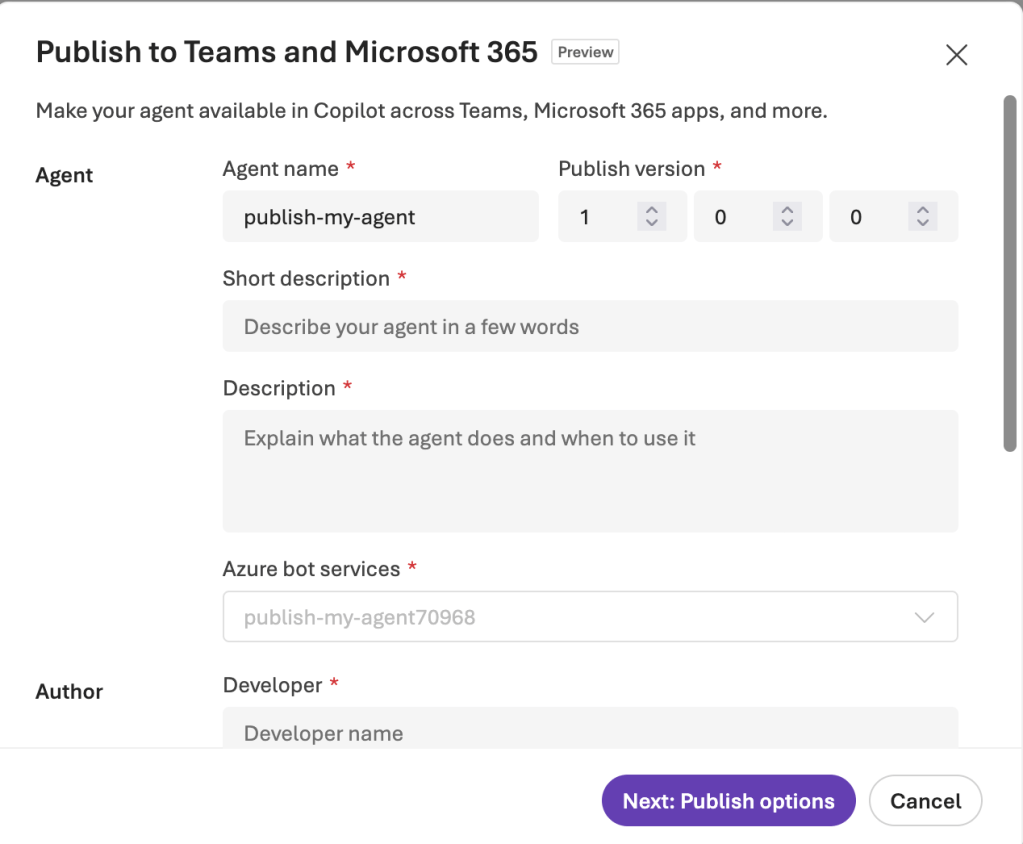
Clicking Publish initiates a multi-step wizard:
- First, you customize metadata that ends up in the Teams app manifest (e.g., descriptions, icons).
- Then, the Foundry service auto-creates the Bot Service resource in Azure.
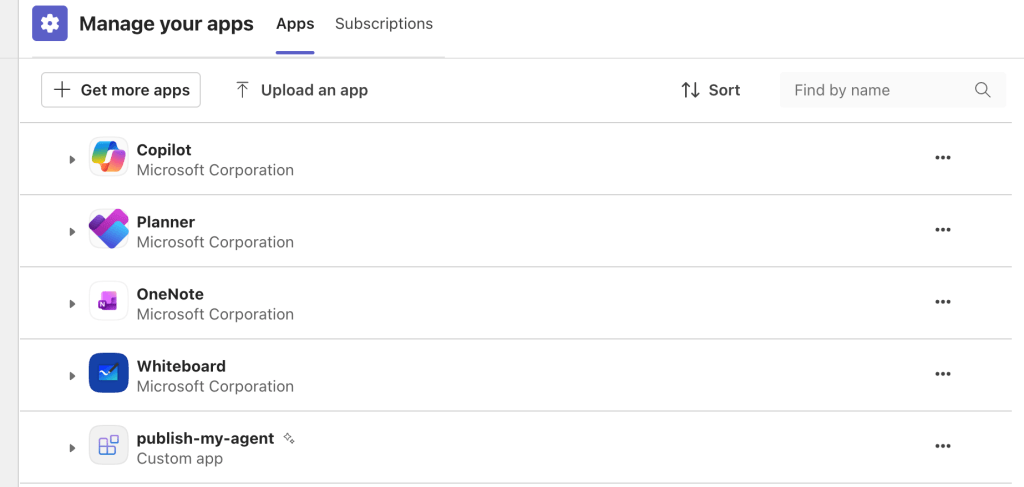
- Next, you choose to publish the agent for just yourself (side-loading) or to the broader Teams App Catalog. Publishing org-wide requires Teams admin approval through the Microsoft 365 Admin Portal.
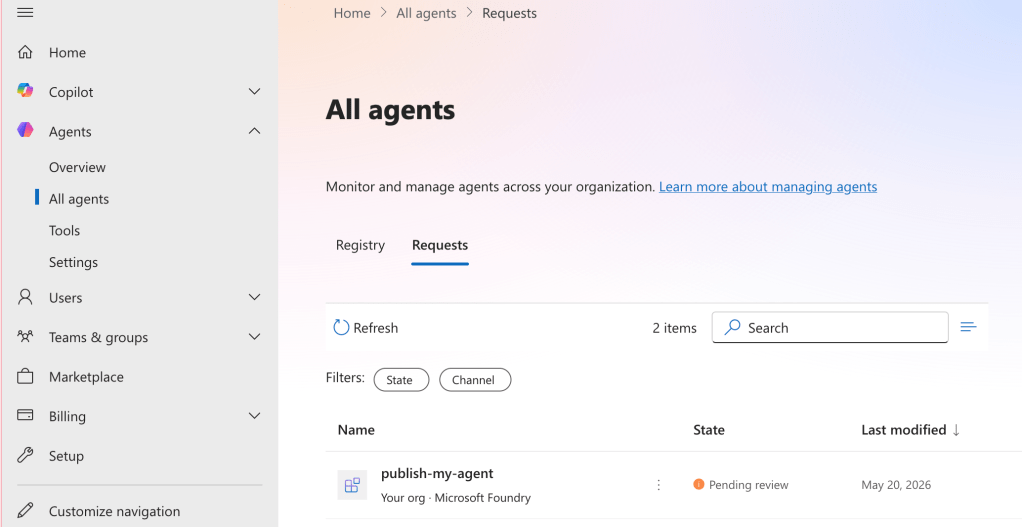
Publishing options and manifest customization screen.
Side-loading is faster and useful for dev/test, whereas org-wide publishing can take hours to propagate after approval.
Behind the Button: Orchestration API Calls
Investigating browser network traffic reveals calls to a dedicated orchestrator API:
listBotServicesResolver– Checks if a Bot Service resource exists.createBotService– Creates the Azure Bot Service resource if missing.prepareAgentsForTeams– Generates the Teams app manifest.publishAgentToTeams– Initiates publishing the agent to Teams.getPublishedAppDetails– Fetches the published app status.
This abstraction hides direct calls to the Azure Resource Manager, Microsoft Graph, and Foundry’s data plane, simplifying the user experience but complicating enterprise controls.
Azure AI Bot Service Role and Configuration
The auto-provisioned Azure AI Bot Service resource acts as the conduit between Teams and the Foundry agent. Key facts include:
-
The messaging endpoint is a public HTTPS URL pointing to the Foundry agent’s REST activity endpoint. For example:
https://.services.ai.azure.com/api/projects//agents//endpoint/protocols/activityprotocol?api-version=2025-11-15-preview -
Disabling public network access on the Foundry resource breaks this integration because Bot Service Connector cannot route messages to the private endpoint.
-
Traffic arrives at the messaging endpoint with JWT-based bearer tokens issued by
https://api.botframework.com, proving message authenticity. -
The Bot Service uses the Microsoft App ID mapped to the Foundry Agent’s Entra ID Agent Identity, binding identity and access tightly.
Bot Service resource details automatically provisioned by the Foundry Portal.
Message Flow Sample
Captured HTTP headers from Teams messages relayed through the Bot Service Connector show claims used for authorization and routing, including x-ms-tenant-id, conversation ID, and JWT token headers.
{
  "Authorization": {
    "type": "Bearer",
    "token": {
      "header": { "alg": "RS256", "typ": "JWT" },
      "payload": {
        "iss": "https://api.botframework.com",
        "aud": ""
      },
      "signature": "<signature>"
    }
  },
  "x-ms-tenant-id": "<tenant-guid>",
  "x-ms-conversation-id": "<conversation-guid>"
}
These secure token assertions enable the Bot Service Framework to authenticate with the Foundry agent endpoint, ensuring only legitimate Teams-originated calls are processed.
Quick Tips & Tricks
-
Avoid Using Portal Publishing in Enterprises
The portal’s publish button requires elevated rights and public network access, which many enterprises disallow. Instead, favor programmatic deployment workflows that let you decouple Bot Service creation and networking. -
Implement Reverse Proxy for Private Endpoint Setups
If your Foundry resource blocks public inbound traffic, deploy a secure public-facing reverse proxy or Azure API Management with proper JWT validation to relay Bot Service traffic internally. -
Use Entra ID Agent Identities for Fine-Grained Security
Leverage agent identities to tightly bind Azure AD service principals with your agents for scalable RBAC and auditability. -
Leverage the Teams App Catalog for Controlled Deployment
Publish your agents to the org-wide Teams App Catalog to benefit from admin approval workflows and centralized app management. -
Monitor Bot Service Logs to Troubleshoot Message Flow
Enable diagnostic logging on your Azure AI Bot Service resource to inspect tokens, claims, and message exchange to debug issues quickly. -
Keep Up to Date with Foundry Changes
The Microsoft Foundry platform and its integration mechanisms evolve rapidly. Always cross-check the latest public documentation and community posts when building automation.
Conclusion
Microsoft Foundry’s push-button integration with Microsoft Teams via Azure AI Bot Service represents a significant step in simplifying AI agent deployment inside collaboration tools. By automating resource provisioning and manifest generation, it abstracts much of the complexity of bot registration and Teams app packaging.
However, this convenience carries architectural and operational tradeoffs—especially around Azure permissions and network access. Enterprises adopting this model must architect around governance boundaries, private connectivity, and secure message relay patterns to successfully operationalize AI agents in Teams.
Understanding the orchestration and inner workings of the Azure AI Bot Service as a relay into Foundry agents unlocks further possibilities for customization, control, and scaling in secure, compliant environments. Stay tuned for Part 2, where a programmatic deployment walkthrough will open up more advanced scenarios.
References
- Microsoft Foundry – Publishing Agents To Teams Deep Dive – Part 1 | Journey Of The Geek — Detailed exploration of the end-to-end portal publishing experience.
- Foundry Agents Overview | Microsoft Docs — Official documentation on Foundry Agents features and concepts.
- Azure AI Bot Service Documentation — Comprehensive resource on Azure Bot Service platform and capabilities.
- Moim Hossain’s Deep Dive into Azure Bot Service Architecture — In-depth analysis of Bot Service message flows and architecture.
- Microsoft Teams App Catalog and Manifest Documentation — Guidance on publishing Teams apps via the catalog and manifest files.
- Entra ID Agent Identities Overview — Conceptual and practical guidance on new agent identity types for Azure AD.
- Foundry Toolbox Intro Blog — Future-forward look at Foundry’s evolving tooling around agents.