Unpacking Microsoft Foundry’s May 2026 Update: Models, Evaluations, and Enterprise AI Advancements
Unpacking Microsoft Foundry’s May 2026 Update: Models, Evaluations, and Enterprise AI Advancements
Date: 2026-05-31
Explore key May 2026 updates to Microsoft Foundry, from breakthrough models like Grok 4.3 and DeepSeek V4 to trace-based evaluation, managed VNET, and Foundry Local enhancements.
Tags: ["Microsoft Foundry", "AI Agents", "Evaluations", "Enterprise AI", "SDK"]
Microsoft Foundry’s May 2026 release signals a significant leap forward for enterprises building and managing AI agents and models at scale. As AI adoption matures, the demands on reliability, governance, and operational control grow ever more critical.
This update expands Foundry’s portfolio with new models—including xAI’s Grok 4.3 and open-model powerhouse DeepSeek V4—while redefining evaluation practices through trace-based grading of real production interactions. Accessibility increases for on-device and local AI with Microsoft Research’s Magentic series and Foundry Local’s latest versions supporting vision and multilingual speech.
In this post, we’ll dissect the major architectural changes, delve into new features that improve deployment, governance, and evaluation, and highlight practical SDK advancements for developers orchestrating AI agents across cloud and edge. Whether you’re in AI ops, data science, or developer relations, there’s a bounty of depth here worth unpacking.
Architecture Overview
┌─────────────────────────────────────────────┐
│             Enterprise Data                  │
├─────────────────────────────────────────────┤
│ • Databases, Knowledge Bases                 │
│ • Operational Systems                         │
│ • Cross-cloud Data & Telemetry                │
└─────────────────────────────────────────────┘
                   ↓
┌─────────────────────────────────────────────┐
│         Microsoft Foundry Platform            │
├─────────────────────────────────────────────┤
│ • Model Catalog & Management                  │
│ • Agent Framework & Orchestration             │
│ • Evaluation & Reinforcement Fine-Tuning     │
│ • Managed Networking & Quota                  │
└─────────────────────────────────────────────┘
                   ↓
┌─────────────────────────────────────────────┐
│               Developer Applications          │
├─────────────────────────────────────────────┤
│ • Hosted & External AI Agents                 │
│ • Local Agent SDKs & Vision Models            │
│ • Custom Skills, Toolboxes, & Workflows       │
└─────────────────────────────────────────────┘
This layered design shows how Foundry connects enterprise data and operational sources to a flexible AI platform that developers tap via multiple runtimes—cloud-hosted or local. Managed services for network isolation, cost attribution, and quota control ensure enterprise-grade governance without burdening application code.
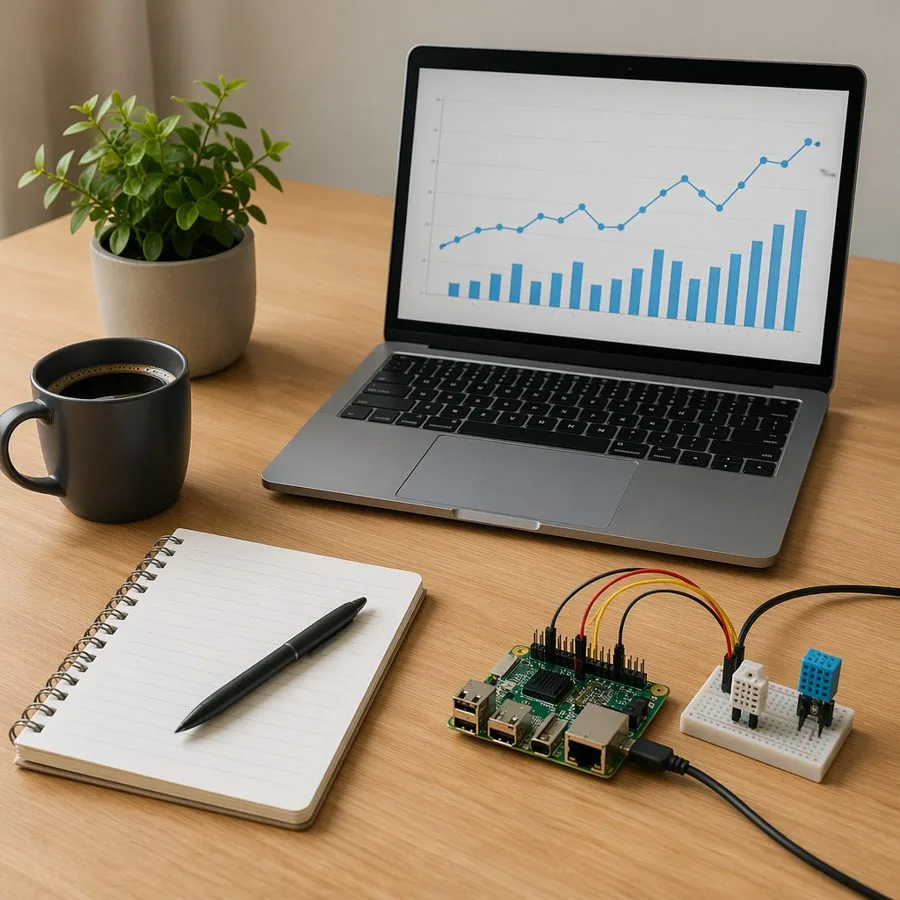
Local vision model demo environment — Image courtesy Microsoft Foundry Blog
Key Technical Observations
-
Trace-Based Evaluation Marks a Paradigm Shift: Moving beyond synthetic test sets, Foundry can now evaluate AI agents by analyzing real production interaction traces from multiple clouds or frameworks. This enables continuous quality assessment grounded in live user behavior, a crucial innovation for production reliability.
-
Diverse Model Ecosystem Strengthens Choice and Compliance: From xAI’s Grok 4.3 (noted for high capability but requiring careful safety reviews) to open-source DeepSeek V4 and Microsoft Research’s MagenticBrain/Fara1.5 combo for on-device reasoning and UI automation, Foundry offers varied tools to optimize for domain-specific needs and deployment preferences.
-
Managed Virtual Networks Simplify Secure Deployments: Foundry’s GA Managed VNET empowers teams to enforce network isolation with Azure-managed private endpoints, reducing the networking complexity typically borne by developers—critical for regulated industries needing strict egress controls.
-
Granular Quota and Cost Attribution Elevate Operations: Per-project cost tracking and quota enforcement across global and regional deployments address the often opaque billing and capacity issues in large AI workloads, enabling systematic budgeting and troubleshooting.
-
Foundry Local Enhances Edge AI Experience: Expanding support for live transcription, multilingual ASR, ONNX Runtime 1.26, and Linux ARM64, this release boosts the practicality of deploying AI models on local devices and embedded systems, bridging cloud and edge AI.
-
SDK and Agent Service Refinements Encourage Custom Skills and Toolboxes: The azure-ai-projects 2.2.0 update introduces preview capabilities for external agent definitions, new skills, toolboxes, and optimized model registries, facilitating integration of bespoke AI workflows with prompt agents running GPT-5.4 with multimodal inputs.
How It Works: Elevating AI Agent Lifecycle in Microsoft Foundry
Model Deployment and Evolution
Consider the upgrade path from Grok 4.2 to Grok 4.3, which is designed for advanced domain-specific agentic workloads. Foundry exposes this via the Chat Completions API, streamlining direct deployment:
from openai import OpenAI

endpoint = os.environ["FOUNDRY_ENDPOINT"]

client = OpenAI(
    api_key=os.environ["FOUNDRY_API_KEY"],
    base_url=endpoint.removesuffix("/chat/completions"),
)

response = client.chat.completions.create(
    model="grok-4.3",
    messages=[
        {"role": "system", "content": "You are Grok, a highly intelligent, helpful AI assistant."},
        {
            "role": "user",
            "content": "In one sentence, explain why developers should evaluate agent tool calls before production.",
        },
    ],
    temperature=0.2,
    max_tokens=80,
)

print(response.choices[0].message.content)
Why this matters: The direct upgrade path makes migration seamless, but the model card explicitly warns about increased jailbreak risks, signaling the need for thoughtful safety and evaluation practices before moving to production.
Evaluating Agents With Real Production Traces
Traditional AI evaluation relies on hand-curated test datasets and synthetic inputs. Foundry’s trace-based evaluation in May 2026 turns this model on its head by enabling:
- Evaluation on traces from any platform: Supported agents can run on Foundry, Google Cloud, AWS, or elsewhere.
- Assessment of actual user interactions: Quality scores reflect what happens live, not just in controlled test environments.
- Cross-platform observability: Enterprises running multi-cloud or hybrid workloads achieve unified evaluation metrics.
This capability integrates tightly with VS Code and the Foundry portal, aligning development and operations workflows:
"Run evaluators consistently across IDE and portal for frictionless feedback," reads the update.
Foundry Local 1.1 and 1.2: Bridging Local AI on ARM and Vision
Foundry Local allows AI inference on-premises or at the edge with growing support:
- Live audio transcription and multilingual ASR for diverse speech scenarios
- Vision model integration exemplified by Qwen 3.5 Vision and ONNX Runtime 1.26
- Support for Linux ARM64 platforms, enabling AI workloads on cost-effective embedded hardware
The snippet below shows initializing a local vision model and sending an image for description:
from openai import OpenAI
from PIL import Image

from foundry_local_sdk import Configuration, FoundryLocalManager

config = Configuration(app_name="foundry_local_vision_demo")
FoundryLocalManager.initialize(config)
manager = FoundryLocalManager.instance

model = manager.catalog.get_model("qwen3-vl-2b-instruct")
if not model.is_cached:
    model.download()

client = None
service_started = False
model.load()
try:
    manager.start_web_service()
    service_started = True
    client = OpenAI(base_url=manager.urls[0].rstrip("/") + "/v1", api_key="notneeded")

    image = Image.open("images/foundry-local-qwen-vision-sample.jpg")
    image.thumbnail((512, 512))

    buffer = io.BytesIO()
    image.save(buffer, format="JPEG")
    image_b64 = base64.b64encode(buffer.getvalue()).decode()

    vision_input = [
        {
            "type": "message",
            "role": "user",
            "content": [
                {
                    "type": "input_text",
                    "text": "Describe the scene and identify anything useful for a developer demo.",
                },
                {
                    "type": "input_image",
                    "image_data": image_b64,
                    "media_type": "image/jpeg",
                },
            ],
        }
    ]

    stream = client.responses.create(
        model=model.id,
        input="placeholder",
        extra_body={"input": vision_input},
        stream=True,
    )

    for event in stream:
        if getattr(event, "type", None) == "response.output_text.delta":
            print(getattr(event, "delta", ""), end="", flush=True)
finally:
    if client is not None:
        client.close()
    if service_started:
        manager.stop_web_service()
    model.unload()
Developers gain the freedom to run complex, vision-enabled AI workflows inside secure local environments without constant cloud calls, enhancing privacy and reducing latency.
Building Agent Skills and Custom Toolboxes with Azure AI Projects SDK
The Azure AI Projects SDK version 2.2.0 introduces capabilities to register project skills and bundle them into toolboxes, which agents consume dynamically. Here’s a walkthrough registering a frontend design skill and attaching it to a prompt agent:
from azure.ai.projects import AIProjectClient, models
from azure.identity import DefaultAzureCredential

endpoint = os.environ["FOUNDRY_PROJECT_ENDPOINT"]
model = "gpt-5.4"
credential = DefaultAzureCredential()

with AIProjectClient(endpoint=endpoint, credential=credential, allow_preview=True) as project_client, project_client.get_openai_client() as openai_client:

    skill = project_client.beta.skills.create(
        "zava-frontend-design",
        inline_content=models.SkillInlineContent(
            description="Zava Studio frontend-design skill: distinctive UI review guidance for product screenshot workflows.",
            instructions="...SKILL.md content...",
            metadata={"scenario": "Zava Studio"},
        ),
        default=True,
    )

    toolbox = project_client.beta.toolboxes.create_version(
        "zava-design-toolbox",
        description="Zava Studio design-review toolbox: frontend-design skill plus a named web search tool.",
        skills=[models.ToolboxSkillReference(type="skill_reference", name=skill.name, version=skill.version)],
        tools=[models.WebSearchTool(type="web_search", name="zava_frontend_research", description="Find frontend design guidance.", search_context_size="low")]
    )

    token = credential.get_token("https://ai.azure.com/.default").token
    toolbox_mcp_url = f"{endpoint.rstrip('/')}/toolboxes/zava-design-toolbox/versions/{toolbox.version}/mcp?api-version=v1"

    toolbox_mcp_tool = models.MCPTool(
        server_label="zava_design_toolbox",
        server_url=toolbox_mcp_url,
        authorization=token,
        headers={"Foundry-Features": "Toolboxes=V1Preview"},
        require_approval="never",
    )

    agent = project_client.agents.create_version(
        "zava-design-agent",
        definition=models.PromptAgentDefinition(
            kind="prompt",
            model=model,
            instructions="You are Zava Studio's frontend design agent...",
            reasoning=models.Reasoning(effort="high"),
            tools=[toolbox_mcp_tool],
        ),
    )

    # Example invocation omitted for brevity
This modular approach formalizes skill reuse and agent tooling, empowering developers to craft complex, multimodal AI assistants without embedding all logic directly in prompts.
Quick Tips & Tricks
-
Evaluate Model Safety Risks Early
Grok 4.3 introduces higher jailbreak risks than some Azure Direct models. Carefully run your own safety and reliability evaluations in a staging environment before production deployment. -
Leverage Trace-Based Evaluations to Monitor Production Quality
Traditional offline tests only tell a part of the story. Configure Foundry to ingest live interaction traces from your agents—even those running outside Foundry—to catch unexpected behaviors early. -
Choose Managed VNET Modes Based on Egress Needs
If your agents only need curated access to approved Azure services, pick “Allow only approved outbound.” For more open but still isolated environments, “Allow internet outbound” suffices, noting firewall charges apply for managed Azure Firewall. -
Monitor Quota Rate-Limit Headers Proactively
Integrate logging ofx-ratelimit-limit-tokens,x-ratelimit-remaining-tokens, andretry-after-msheaders into your client to preempt throttling and adjust quota requests timely. -
Use Foundry Local for Privacy-Sensitive Vision and Speech Scenarios
On-device and local AI model runs mitigate data residency concerns and enable low-latency applications, especially with recent support for ARM64 and ONNX Runtime 1.26. -
Adopt Project-Level Cost Attribution for Better AI Spend Management
Align your cost tracking to teams, business units, or experiments via Foundry’s project tags, integrating with Azure Cost Management for full visibility into associated resources.
Conclusion
Microsoft Foundry’s May 2026 updates underscore a commitment to mature, enterprise-ready AI—balancing model innovation with production-grade evaluations, governance, and operational tooling. The ability to grade agent performance on actual production traces across clouds breaks new ground, ensuring AI runs safely and effectively in complex enterprise ecosystems.
Meanwhile, the growing ecosystem of models—from Grok 4.3 and DeepSeek variants to Microsoft Research’s Magentic family—combined with finely tunable SDKs and local runtime improvements, empowers developers with unmatched flexibility depending on constraints like data residency or latency.
As AI agents continue to embed deeper into business processes, platforms like Foundry will be critical enablers of trust, scalability, and control. Staying current with these platform capabilities will be a key differentiator for teams deploying AI at scale.
References
- What’s new in Microsoft Foundry | May 2026 | Microsoft Foundry Blog — Official release announcement with detailed updates and technical guidance.
- MagenticLite GitHub Repository — Explore Microsoft Research's local agentic app for browser and file system workflows.
- Foundry Labs — Overview and demos of research agent models and experimental AI capabilities.
- Azure AI Projects SDK Documentation — Developer reference for skills, toolboxes, and agent orchestration.
- Trace-Based Evaluation Setup Guide — Steps to connect and evaluate live agent traces across clouds.
- Microsoft Build 2026 Foundry Sessions — Video and session catalog to deepen your practical understanding of Foundry.