Microsoft Agent 365: The Unified Control Plane for AI Agents
Microsoft Agent 365: The Unified Control Plane for AI Agents
Date: 2026-03-17
Discover how Microsoft Agent 365 provides centralized governance, observability, and security for managing AI agents across your organization.
Tags: ["Microsoft 365", "AI Agents", "Security", "Enterprise AI", "Agent Management"]
The rise of AI agents is transforming how organizations automate workflows, enhance productivity, and deliver personalized AI-driven experiences. However, managing a diverse, ever-growing fleet of AI agents — often created with different platforms and frameworks — poses significant challenges. Ensuring their security, monitoring activity, and governing their access requires a unified control plane that gives IT and business leaders confidence without slowing down innovation.
Enter Microsoft Agent 365, a cloud-native control plane integrated into the Microsoft 365 ecosystem. Agent 365 centralizes the management, observability, and security of AI agents deployed across an enterprise. It offers a robust registry, fine-grained access control, rich telemetry dashboards, and seamless interoperability with Microsoft 365 Copilot and partner solutions.
In this post, we’ll explore the architecture behind Agent 365, key technical insights, and how it streamlines AI agent governance at scale. Whether you’re an IT pro, developer, or AI strategist, understanding this control plane will help you confidently deploy and oversee AI agents that drive real business impact.
Architecture Overview
┌─────────────────────────────────────────────┐
│           Enterprise AI Environment          │
├─────────────────────────────────────────────┤
│  • Diverse AI Agents (Microsoft, Open-Source,│
│    Third-Party)                              │
│  • Microsoft 365 Apps & Services             │
│  • Organizational Policies & Compliance      │
└─────────────────────────────────────────────┘
                  ↓
┌─────────────────────────────────────────────┐
│         Microsoft Agent 365 Control Plane    │
├─────────────────────────────────────────────┤
│  • Agent Registry & Inventory                │
│  • Access Control & Security                  │
│  • Telemetry, Dashboards & Alerts             │
│  • Interoperability with Copilot & Partners  │
└─────────────────────────────────────────────┘
                  ↓
┌─────────────────────────────────────────────┐
│             Microsoft 365 Admin Center       │
├─────────────────────────────────────────────┤
│  • Unified Agent Management UI                │
│  • Analytics & Insights                       │
│  • Configuration & Compliance Tools           │
└─────────────────────────────────────────────┘
This design provides a centralized hub for controlling and observing agent activity while integrating deeply with the Microsoft 365 platform for familiar administration and security alignment.
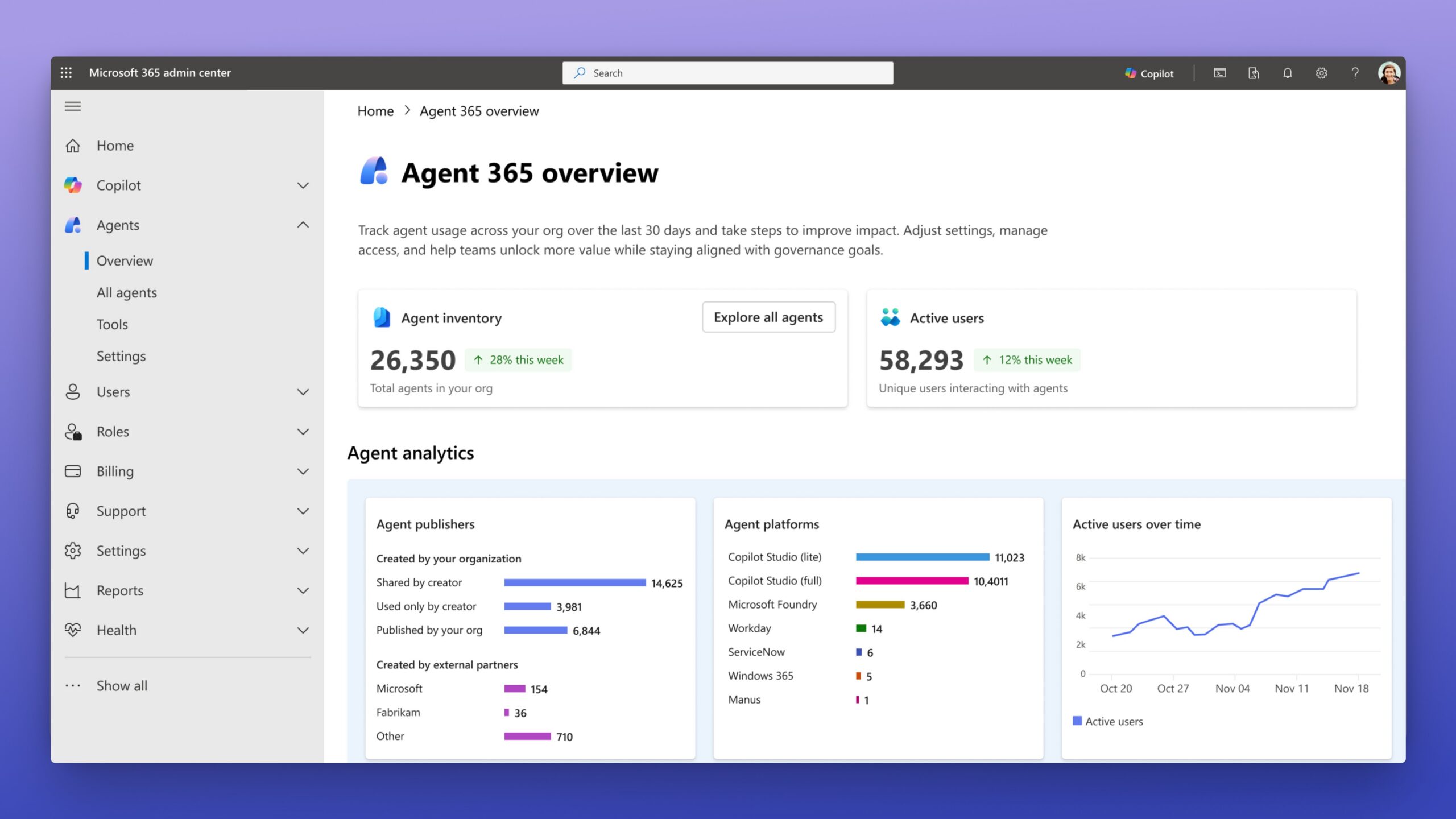
Agent 365 dashboard showcasing inventory and analytics. Source: Microsoft 365 Blog
Key Technical Observations
-
Unified Agent Registry: Agent 365 maintains a comprehensive inventory of every AI agent operating within the organization, regardless of the underlying platform—be it Microsoft-built agents, open source frameworks, or third-party solutions. This promotes visibility across distributed agent assets.
-
Granular Access Control: Leveraging Microsoft’s identity and access management systems, Agent 365 enforces role-based permissions to control who can deploy, modify, or invoke agents. This minimizes attack surfaces and ensures compliance with organizational policies.
-
Comprehensive Observability: Telemetry data collected from agents is surfaced as rich dashboards and alerts in the Microsoft 365 admin center. This empowers IT teams to proactively monitor usage patterns, detect anomalies, and troubleshoot issues at scale.
-
Interoperability with Copilot & Partners: Agent 365 acts as the connective glue enabling agents to seamlessly integrate with Microsoft 365 Copilot and partner AI ecosystems, facilitating richer AI-driven workflows and extensibility.
-
Security-First Design: The platform embeds guardrails and security best practices across agent lifecycle management to safeguard enterprise data and maintain regulatory compliance.
-
Scalable Control Plane Architecture: Built as a cloud-native service, Agent 365 is designed to horizontally scale to manage thousands of agents concurrently, supporting enterprises through all phases — from experimentation to broad deployment.
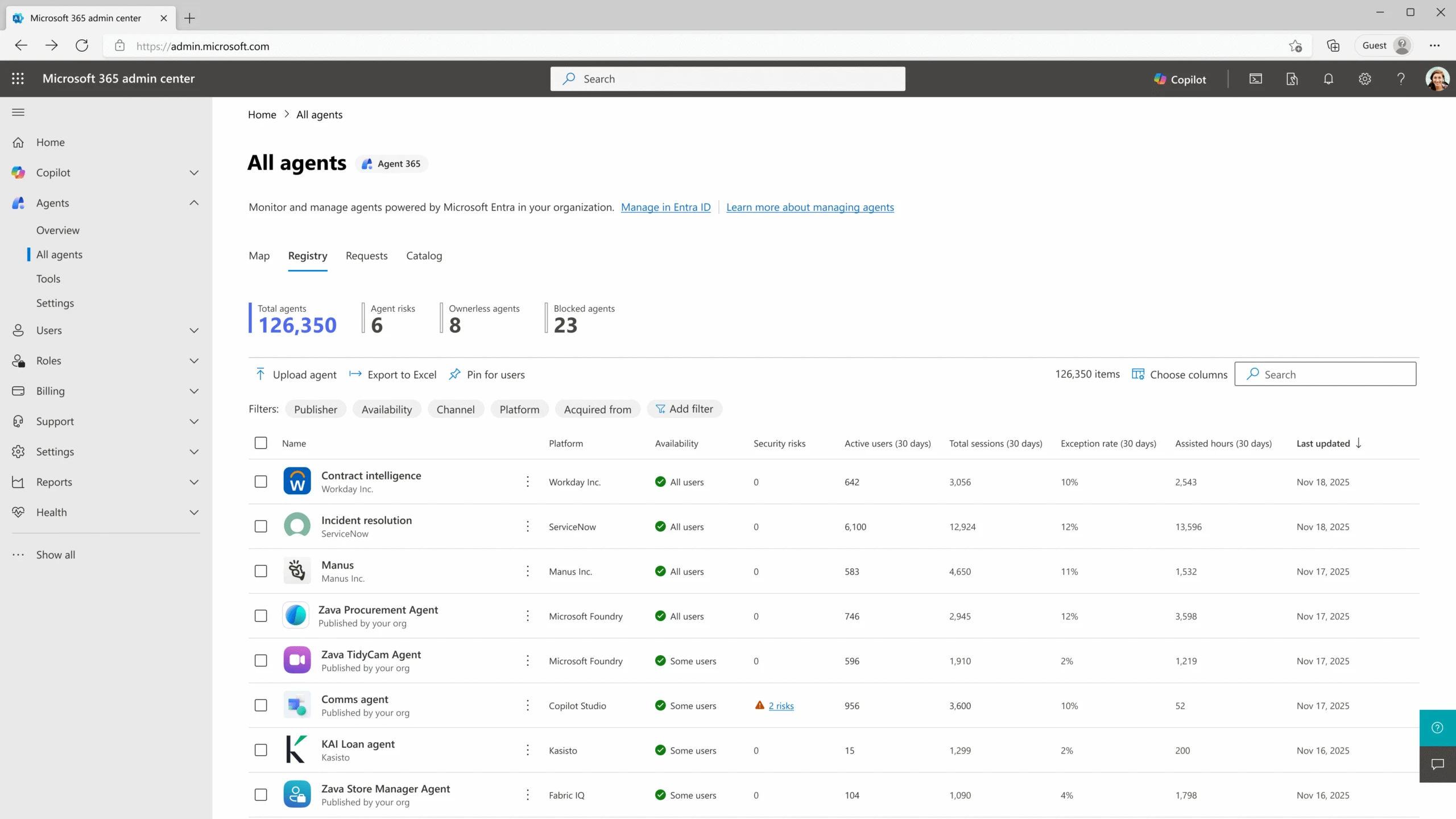
Agent inventory with detailed telemetry and security info. Source: Microsoft 365 Blog
How It Works
1. Agent Registration and Inventory
When developers or IT add an AI agent—whether a custom automation bot, a Copilot assistant, or a third-party service—they register it with Agent 365 through the Microsoft 365 admin center or via API. This registration captures metadata such as agent name, version, capabilities, and ownership.
Internally, the registry acts as a single source of truth, facilitating lifecycle tracking, version control, and usage reporting across departments and business units.
2. Access Control and Security Enforcement
Agent 365 integrates tightly with Azure Active Directory and Microsoft Endpoint Manager to enforce access policies. Admins can specify who is authorized to deploy, invoke, or manage each agent. Multi-factor authentication and conditional access policies are supported to increase protection.
This centralized policy enforcement minimizes risks around privilege escalation and unauthorized data access by agents.
3. Telemetry Collection and Visualization
Agents emit log data such as invocation counts, success and failure rates, execution latency, and behavioral anomalies. Agent 365 ingests this telemetry in near real-time, aggregating it within Azure Monitor and providing rich visualization dashboards for root cause analysis.
Alerting rules notify administrators of abnormal agent activities or potential security incidents, helping maintain operational stability.
4. Interoperability and Ecosystem Integration
Agent 365 exposes APIs and standardized frameworks enabling Copilot, Power Platform, and partner AI agents to register and interoperate smoothly. This ecosystem connectivity allows organizations to build hybrid AI workflows that maximize existing investments without silos.
5. Admin Experience and Governance
All these capabilities are accessible via the Microsoft 365 admin portal, delivering an intuitive interface designed for IT professionals. From here, admins can deploy agents, monitor health, manage policies, and audit activity all in one place.
This approach empowers teams to scale AI deployments with governance and confidence.
Quick Tips & Tricks
-
Leverage Role-Based Access Control (RBAC) — Define clear roles for who can register, deploy, and manage agents to reduce accidental privilege grants and secure sensitive workflows.
-
Monitor Agent Health Regularly — Use built-in telemetry dashboards proactively to spot failing or underperforming agents before they impact business processes.
-
Integrate Agents with Microsoft 365 Copilot — Enhance AI workflows by connecting custom agents to Copilot, enabling richer conversational experiences with enterprise data.
-
Automate Agent Lifecycle Management — Utilize APIs for automating onboarding, version updates, and decommissioning to maintain an up-to-date agent fleet without manual effort.
-
Apply Conditional Access Policies — Enforce device and location-based access restrictions to prevent unauthorized agent interactions in regulated environments.
-
Audit and Review Agent Usage — Periodically review audit logs available in the admin center to ensure compliance and detect anomalous or risky agent behavior.
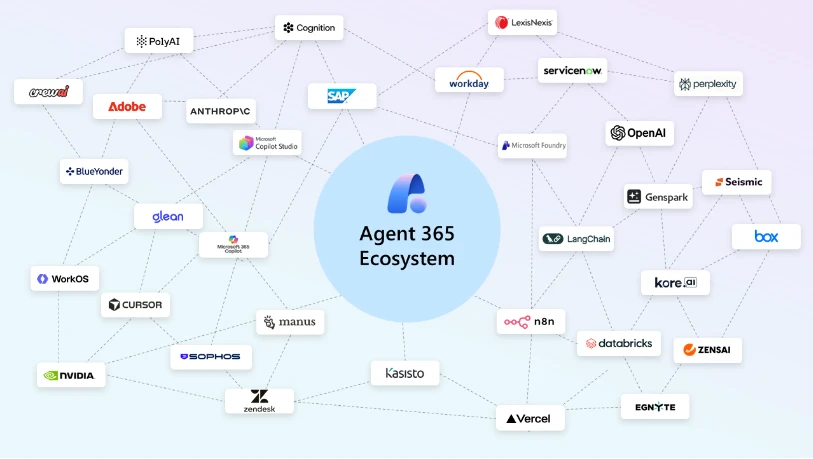
Agent 365 ecosystem highlighting broad partner and Microsoft platform integrations. Source: Microsoft 365 Blog
Conclusion
Microsoft Agent 365 addresses one of the most pressing challenges in enterprise AI adoption: managing a growing, heterogeneous fleet of AI agents securely and at scale. By providing a unified control plane with centralized registry, robust access controls, comprehensive telemetry, and deep integration with Microsoft 365 Copilot, it offers IT and business leaders a single-pane-of-glass for AI governance.
As AI agents proliferate across workflows, the need for observability and secure governance becomes paramount. Agent 365 exemplifies how cloud-native platforms can bring order to complexity while sustaining agility. Expect evolving capabilities that further streamline agent lifecycle management, enrich analytics, and enhance interoperability with the broader Microsoft and partner AI ecosystem.
Embracing Agent 365 enables organizations to confidently accelerate AI deployments, safeguard enterprise data, and unlock new productivity frontiers.
References
- Microsoft Agent 365: The control plane for AI agents | Microsoft 365 Blog — Official announcement and detailed overview from Microsoft.
- Microsoft 365 Admin Center — Unified portal to manage Agent 365 and other Microsoft 365 services.
- Microsoft 365 Copilot — Integration and capabilities for AI-driven productivity.
- Azure Active Directory Documentation — Identity and access management foundation for Agent 365.
- Azure Monitor Overview — Telemetry and alerting platform powering Agent 365 observability.
- Power Platform — Extending AI agents with low-code automation and AI.

Charles Lamanna, author of the original Agent 365 announcement
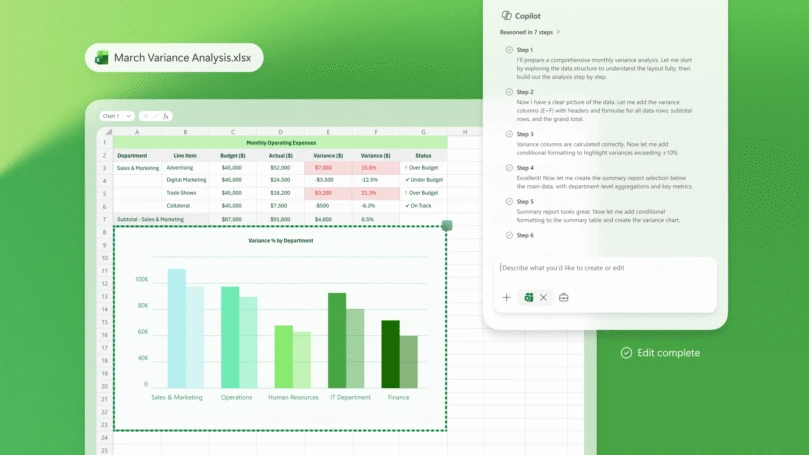
Example of Copilot integration powered by AI agents, source: Microsoft 365 Blog
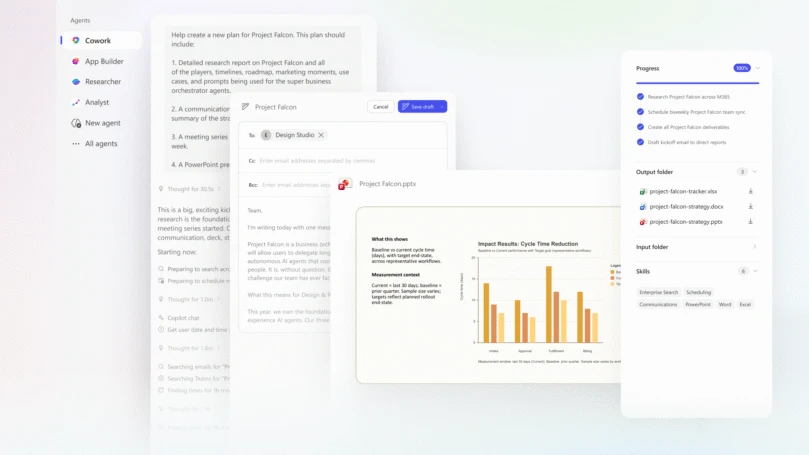
Extending AI collaboration with Copilot and Agent 365 ecosystem