Overcoming Knowledge Source Configuration Limits in Copilot Studio Managed Solutions
Overcoming Knowledge Source Configuration Limits in Copilot Studio Managed Solutions
Date: 2026-03-17
Discover how to dynamically update Knowledge Source URLs in Microsoft 365 Copilot Studio managed solutions using DevOps pipelines and PowerShell automation.
Tags: ["Copilot Studio", "Microsoft 365", "Power Platform", "DevOps", "Automation"]
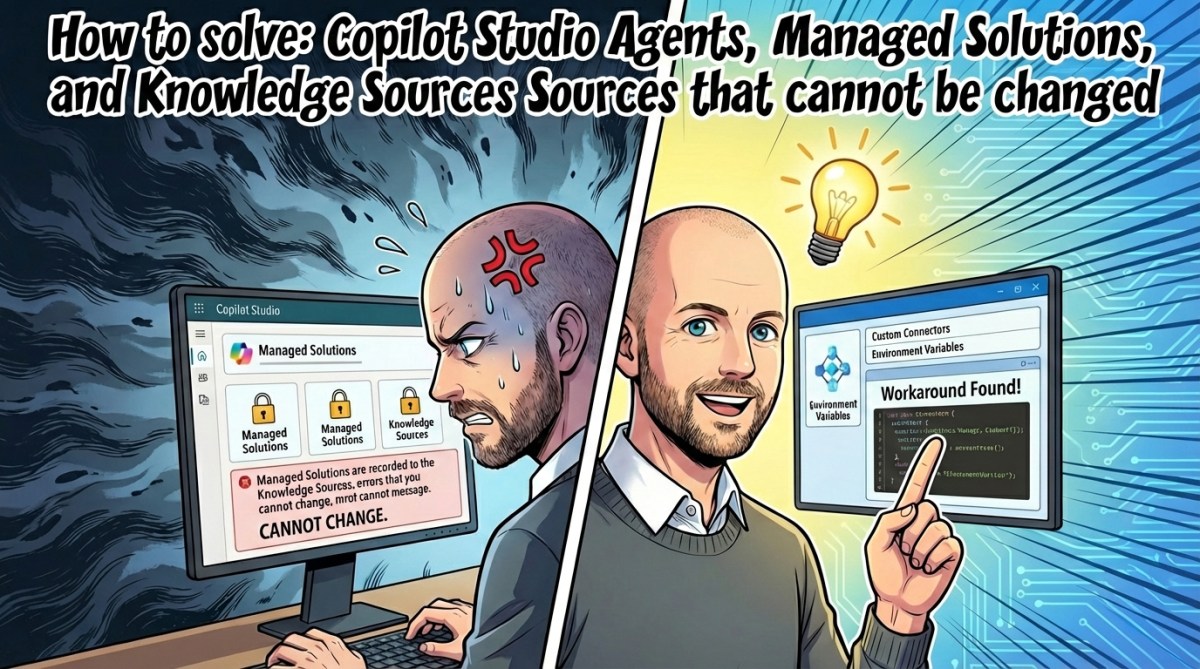
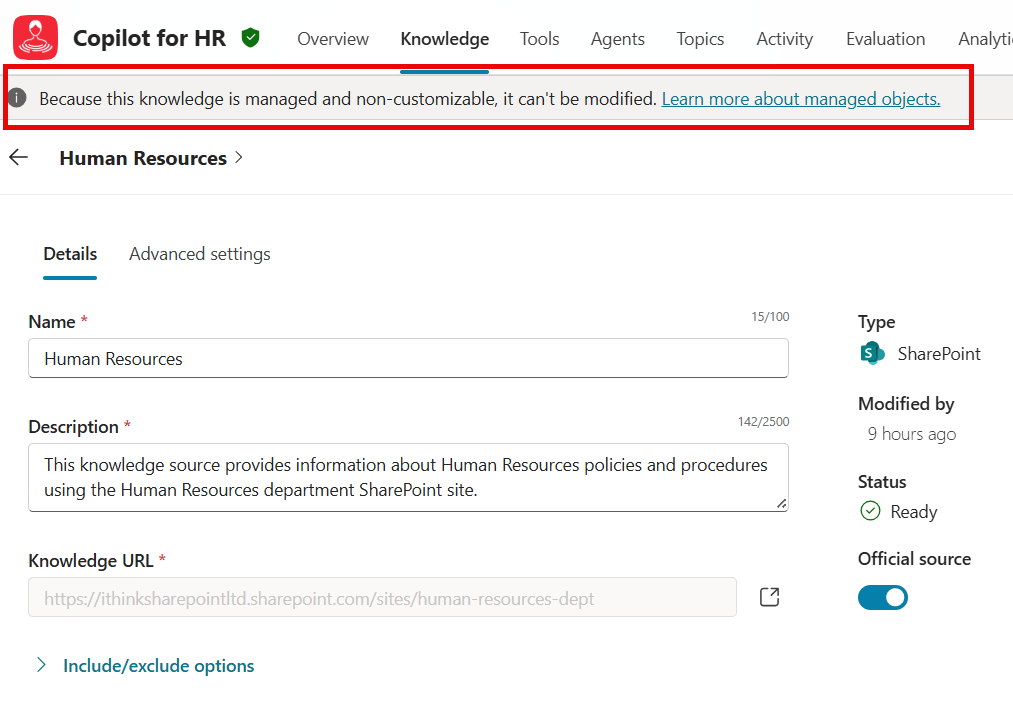
When working with Microsoft 365 Copilot Studio Agents, developers often hit a frustrating roadblock: managed solutions that include Knowledge Sources lock the Knowledge Source URLs at deployment time. This means that once you deploy an Agent referencing a SharePoint site or document library as its Knowledge Source, you cannot easily change that URL without complex workarounds.
This limitation stifles proper environment-specific configurations, especially when your development, testing, and production environments reside in separate tenants or require different content sources. Without a way to change the Knowledge Source URL per environment, quality assurance and safe deployments become challenging.
In this post, we'll explore a clever solution pioneered by Simon Doy that leverages DevOps pipelines and PowerShell scripting to programmatically update Knowledge Source URLs within managed solutions. This approach extends your control to dynamically patch URLs during your deployment pipelines—enabling safer, environment-specific configurations without waiting on product enhancements.
Architecture Overview
┌─────────────────────────────────────────────┐
│               Knowledge Sources             │
├─────────────────────────────────────────────┤
│  • SharePoint Sites & Document Libraries    │
│  • Environment-Specific URLs                 │
└─────────────────────────────────────────────┘
                   ↓
┌─────────────────────────────────────────────┐
│           Power Platform Managed Solution    │
├─────────────────────────────────────────────┤
│  • Copilot Studio Agent                      │
│  • Packaged Knowledge Source URL            │
└─────────────────────────────────────────────┘
                   ↓
┌─────────────────────────────────────────────┐
│                DevOps Pipelines              │
├─────────────────────────────────────────────┤
│  • Export & Unpack Managed Solution         │
│  • PowerShell Script Updates URL in Metadata│
│  • Repackage & Deploy Updated Solution      │
└─────────────────────────────────────────────┘
                   ↓
┌─────────────────────────────────────────────┐
│               Target Environment             │
├─────────────────────────────────────────────┤
│  • Correct Knowledge Source URL Injected    │
│  • Deployed Copilot Studio Agent Ready      │
└─────────────────────────────────────────────┘
This flow allows you to take a locked, managed solution, extract it, update its internal Knowledge Source URL, then deploy the updated package to your target environment—bridging the gap between rigid solution packaging and flexible environment needs.
 {alt="Copilot Studio Agents Knowledge Source URL update illustration"}
Image credit: Simon Doy's Microsoft 365 and Azure Dev Blog
Key Technical Observations
-
Immutable Managed Solution URLs: Knowledge Source URLs are baked into managed solutions at export, making direct edits in the target environment impossible without unpacking and repacking the solution.
-
Pipeline-Based Solution Customization: Leveraging Azure DevOps or equivalent build/release pipelines enables automation of extracting, patching, and redeploying Power Platform managed solutions as part of CI/CD.
-
PowerShell Script for Metadata Patching: The custom script
Update-PowerPlatformSolutionKnowledgeSite.ps1intelligently locates KnowledgeSource metadata files within the unpacked solution and updates thesite:parameter with the desired URL. -
Naming Convention Parsing: The script depends on a naming pattern—
[AgentName].knowledge.[KnowledgeSourceName]_—to pinpoint the exact folder and file to modify, avoiding brute-force changes. -
Parameterization in Pipelines: The approach relies on pipeline parameters (
KnowledgeSourceUpdate,KnowledgeSourceName,KnowledgeSourceSiteUrl) to make URL updates environment-specific, supporting true Dev/Test/Prod segregation. -
No Dependency on Product Updates: This method does not wait for official Copilot Studio enhancements (like environment variables support) and instead works within existing platform constraints.
How It Works
Extracting the Managed Solution
The pipeline begins by exporting the managed solution (.zip) from a source environment or repository. It unpacks this archive into a working directory, exposing the internal structure of the Power Platform solution.
# Example: unzip the managed solution
Expand-Archive -Path '.\Solution.zip' -DestinationPath '.\UnpackedSolution'
Identifying the Knowledge Source Metadata
Within the unpacked solution files, the Knowledge Sources are kept in folders following a naming convention resembling:
[AgentName].knowledge.[KnowledgeSourceName]_[Guid]
The PowerShell script searches for this folder matching the provided KnowledgeSourceName parameter.
Inside, a data file contains a site: entry specifying the Knowledge Source URL, for example:
site: https://devtenant.sharepoint.com/sites/KnowledgeBase
Updating the URL Parameter
The script opens the data file, replaces the existing site: URL with the new environment-specific URL passed as SiteUrl, then saves the file back.
# Simplified pseudocode
$data = Get-Content $dataFile
$data = $data -replace 'site:.*', "site: $SiteUrl"
Set-Content $dataFile $data
This targeted patch makes the Knowledge Source URL configurable per environment, circumventing the immutable managed solution limitation.
Repackaging and Deploying
After the patch, the pipeline repacks the solution into a new .zip archive required by Power Platform deployment tools, and proceeds to deploy this updated package into the target tenant.
This deployment ensures the Copilot Agent uses the correct, environment-specific SharePoint URL as its Knowledge Source.
Pipeline Configuration Parameters
Within i365-powerplatform-solution-release-pipeline.yml, set these parameters per environment stage:
KnowledgeSourceUpdate: true
KnowledgeSourceName: HumanResources   # Example name of Knowledge Source
KnowledgeSourceSiteUrl: https://prodtenant.sharepoint.com/sites/HRKnowledge
Running the pipeline with these settings seamlessly handles exporting, patching, repackaging, and deploying your agent with the right Knowledge Source URLs.
 {alt="Configuration snippet of pipeline environment parameters"}
Quick Tips & Tricks
-
Extract Before Modify — Always unzip your managed solution before attempting URL updates; directly editing packaged zips is brittle and error-prone.
-
Use Precise Naming — Ensure your KnowledgeSourceName matches exactly the folder names inside the unpacked solution to avoid failing to locate metadata.
-
Parameterize for Scalability — Use environment variables or pipeline parameters to handle differing URLs across dev, test, and prod without modifying scripts.
-
Automate Validation — Add pipeline steps to validate that after deployment the agent correctly references the updated Knowledge Source URL for early detection of misconfiguration.
-
Version Control Your Scripts — Keep your PowerShell scripts and pipeline YAML files under Git to track changes and enable rollback if necessary.
-
Test in a Sandbox Tenant — Always verify deployments in a non-production tenant with modified Knowledge Sources before pushing to customers or production environments.
Conclusion
Managed solutions in Copilot Studio introduce a challenging limitation: Knowledge Source URLs are fixed and cannot be changed post-deployment. This hinders environments partitioning and quality assurance.
By unpacking the managed solution, editing the knowledge metadata via a PowerShell script, and repackaging with DevOps pipelines, developers regain control. This empowers configurable, environment-aware deployments of Copilot Studio Agents across multiple tenants.
While awaiting official features like environment-variable support, this approach provides a practical, automated workaround that integrates deeply with existing build and release workflows.
Expect future enhancements in Copilot Studio to further streamline these processes, but in the meantime, this method offers a robust, scalable way to manage your Knowledge Sources with confidence.
References
-
How to solve: Copilot Studio Agents, Managed Solutions, and Knowledge Sources that cannot be changed | Simon Doy's Blog — Original article detailing the problem and solution.
-
Power Platform Build and Deployment Pipelines | Simon Doy — Background on building deployment pipelines for Power Platform solutions.
-
Update-PowerPlatformSolutionKnowledgeSite.ps1 Script | GitHub Repo — Repository contains the updated pipeline scripts for Knowledge Source URL patching.
-
Microsoft Power Platform Documentation — Official docs on solutions and deployment.
-
Microsoft 365 Copilot Overview — Insight into Copilot capabilities and agent architecture.
 {alt="Simon Doy's profile photo"}