Building Full-Stack Business Apps with Microsoft Copilot Cowork and Copilot Studio
Building Full-Stack Business Apps with Microsoft Copilot Cowork and Copilot Studio
Date: 2026-09-10
Discover how Microsoft Copilot Cowork and Copilot Studio empower organizations to build full-stack business applications through conversational AI connected directly to enterprise data.
Tags: ["Microsoft Copilot", "Low-Code", "Enterprise AI", "Business Apps"]
Many organizations struggle to quickly translate evolving business needs into scalable applications. Traditionally, building full-stack enterprise apps requires specialized development teams, complex integrations, and long project timelines. What if you could cut through this complexity and build rich business apps simply by describing what you need — with an AI assistant guiding every step?
Microsoft’s Copilot Cowork and Copilot Studio offer an approach to application building by combining conversational AI with integration into your enterprise data and systems. These tools enable developers and business users alike to create, customize, and manage full-stack business apps through natural language interaction — accelerating innovation and operational agility.
In this post, we explore how Copilot Cowork and Copilot Studio work together to enable rapid development of enterprise-grade apps. We'll walk through the app-building workflow and practical tips to leverage these platforms effectively.
How It Works: From Idea to Full-Stack App
Describe Your App Needs Conversationally
Begin with a natural language description in Copilot Cowork. For example:
"Create an employee onboarding tracker app that tracks tasks, deadlines, and approvals for new hires."
Copilot interprets this, extracting core entities, workflows, and UI elements — all within the context of your enterprise data.
Connect to Business Data Sources Seamlessly
Copilot Studio uses pre-configured connectors to pull in relevant business data. It maps onboarding tasks to your HR database, pulls employee profiles dynamically, and references your document repositories for policies.
This data grounding ensures the app operates on authoritative, up-to-date information, preventing data silos.
Auto-Generate UI, Logic, and Workflows
Based on the conversational prompts and data connections, Copilot Studio scaffolds the app's user interface, automates task workflows, and configures business rules such as notifications and approvals.
Developers can see and adjust the generated logic visually or by further conversation, refining until it fits exact needs.
This flexible code-behind supports tailoring beyond the initial automated build.
Govern and Deploy with Enterprise Confidence
Apps built with Copilot Studio integrate governance hooks to enforce security standards, role-based access, and compliance audits. Version control tracks iterative changes.
Once validated, apps deploy directly into enterprise environments, making them accessible to the target workforce.
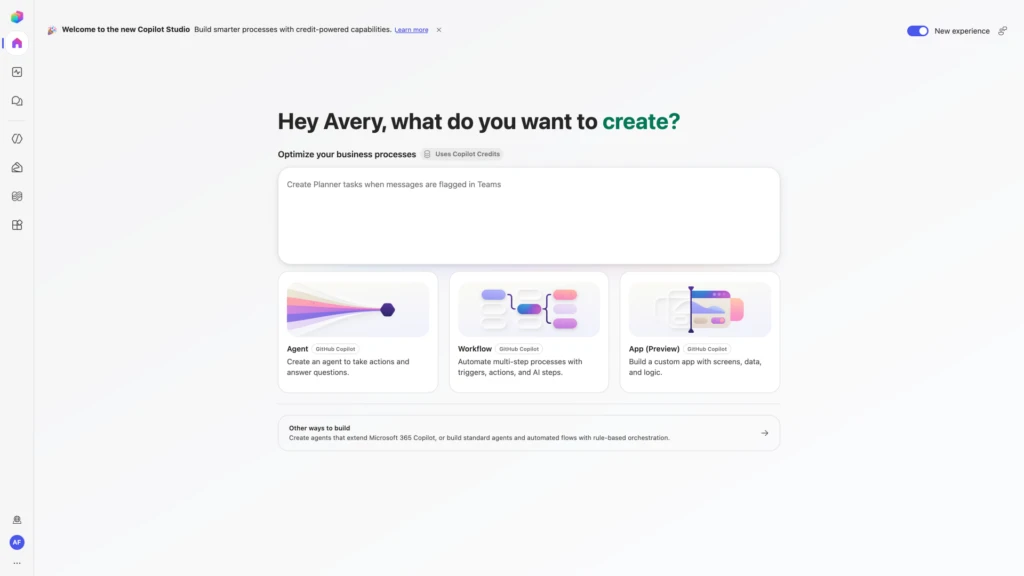
Copilot Studio enables interactive, conversational app building grounded in your business data — source: Microsoft Copilot Blog
Quick Tips & Tricks
-
Start with Clear, Detailed Use Cases — The quality of your conversational app build depends on the clarity of your input. Describe workflows, data entities, and user roles explicitly for the most accurate generated outputs.
-
Leverage Built-In Data Connectors First — Use Microsoft Dataverse or SQL connectors before custom APIs to reduce complexity and benefit from tested security and integration patterns.
-
Use Conversation to Iterate Rapidly — Modify your app by simply describing changes in Copilot Cowork rather than editing UI or code manually—this keeps development fast and accessible.
-
Embed Governance Early — Configure access controls and auditing from the start to comply with organizational policies and ensure smooth app adoption.
-
Combine Copilot Apps with Power Platform Components — Extend your conversational app by integrating Power Automate flows, Power BI dashboards, and Logic Apps to enrich functionality.
-
Test with Real Users in Target Environments — Deploy pilot versions in enterprise environments early to gather feedback and refine conversational prompts.
Conclusion
Microsoft Copilot Cowork and Copilot Studio represent a new approach in business app development where conversational AI and low-code fusion empower organizations to respond rapidly to changing demands. By grounding app creation in enterprise data and embedding governance, these platforms allow both developers and business users to bridge the gap between intent and deployment with speed and precision.
This approach reduces reliance on traditional development bottlenecks, democratizes innovation, and unlocks the full potential of organizational knowledge. As AI continues to mature within the Microsoft ecosystem, expect Copilot Studio to expand its capabilities—enabling more complex workflows, increased automation, and richer experiences aligned tightly with enterprise needs.
References
- Build business apps with Copilot Cowork and Copilot Studio | Microsoft Copilot Blog — Official announcement and feature overview from Microsoft